

 FormlyBite
Snap a photo. Muzi does the maths.
FormlyBite makes it easy to log meals and follow your personal goals. Get calorie and macro estimates from a photo or a written description, then adjust the result yourself.

- Photobarcode, text or by hand
- Macrosprotein, carbs, fat
- Water and weightdaily entries and history
- Apple Healthoptional connection
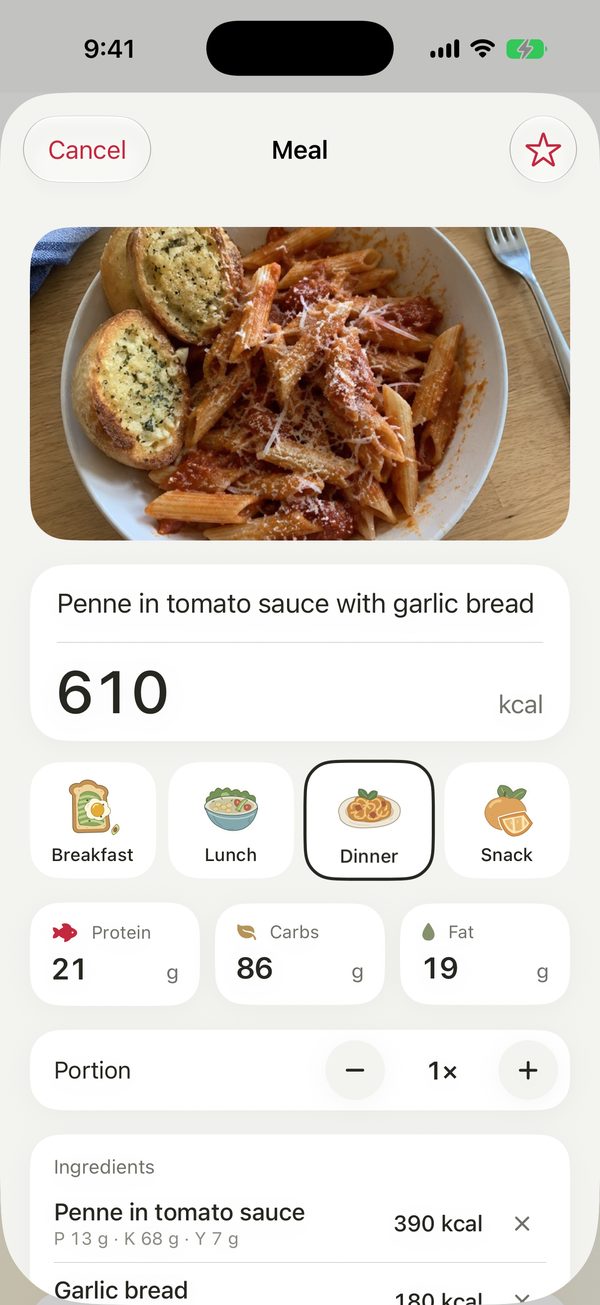
Meal analysis
One photo, a few seconds.
Take a photo of your plate; Muzi recognizes the dish, breaks down the ingredients and estimates calories and macros.
- Calories, protein, carbs and fat with an ingredient breakdown
- Adjust portions and ingredients yourself
- Log it as breakfast, lunch, dinner or a snack
- Save the meals you eat often as favourites
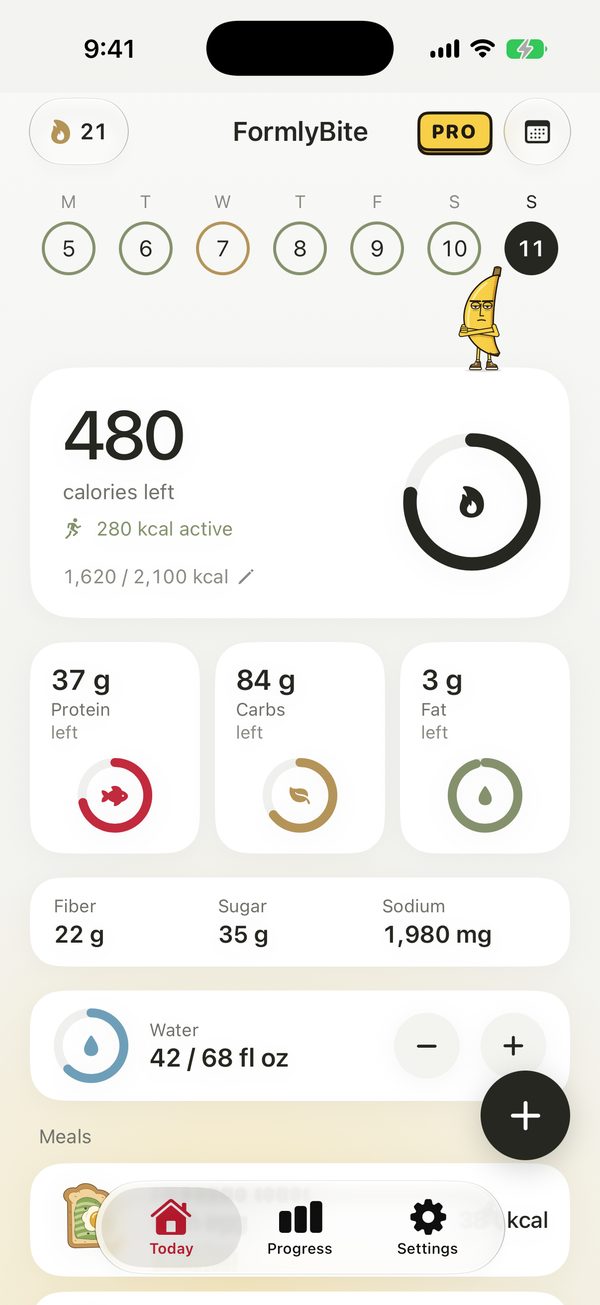
Today
Your day at a glance.
Calories left, macro rings and water on one screen. Jump back to past days from the calendar at the top.
- Personal calorie and macro goals
- Fibre, sugar and sodium tracking
- Log water in one tap
- Optionally add calories burned through activity to your budget
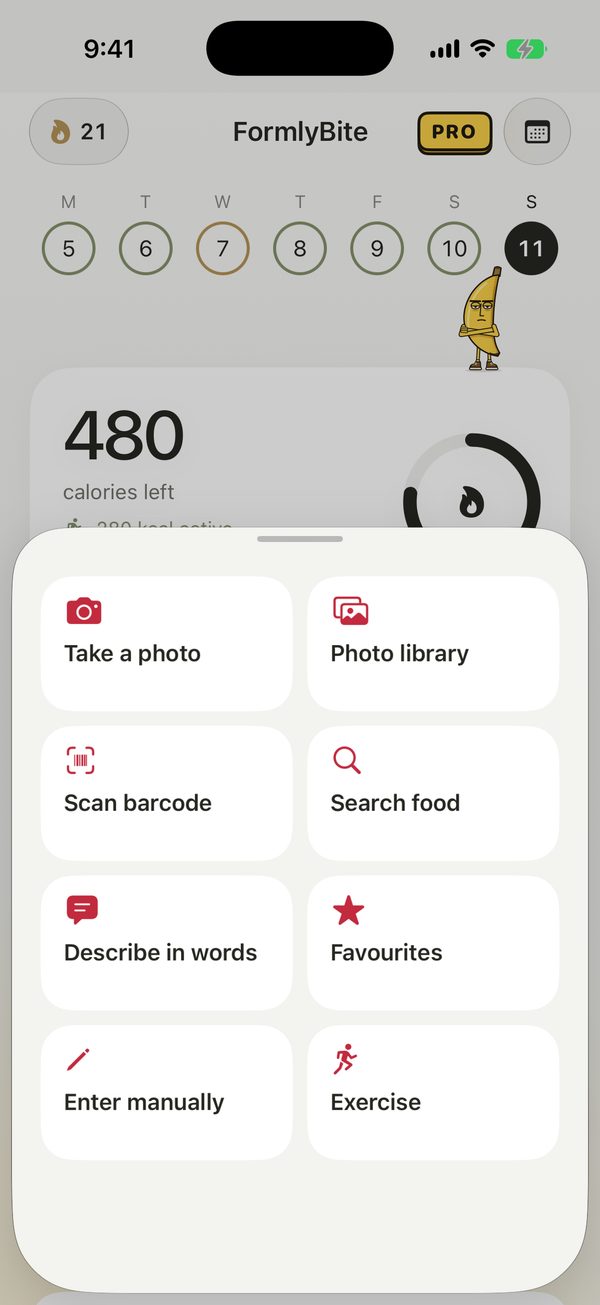
Add
Log it your way.
You won't always have a photo. FormlyBite puts every way to add a meal in one place.
- Take a photo or pick one from your library
- Scan packaged food barcodes or search for foods
- Describe your meal in words or enter it by hand
- Log your exercise too
Widgets
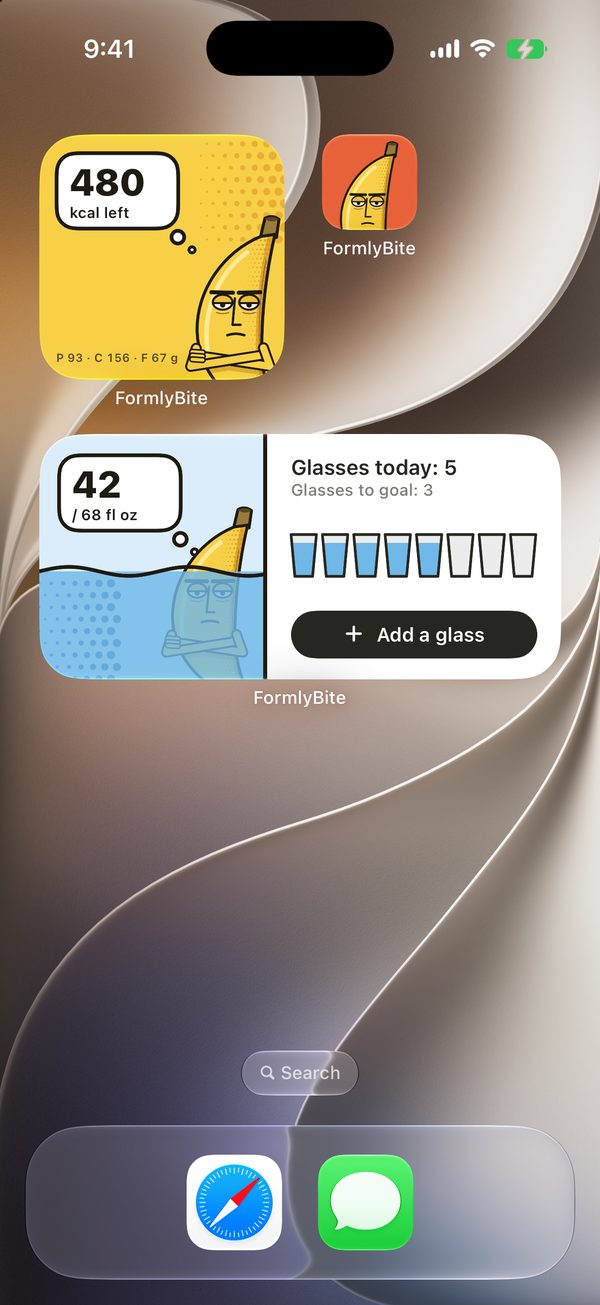
Muzi on your Home Screen.
See your day without opening the app, and add a glass of water straight from the widget.
- Calories left and macro summary
- Water tracking widget
- Meal reminders
- Build a habit with daily streaks
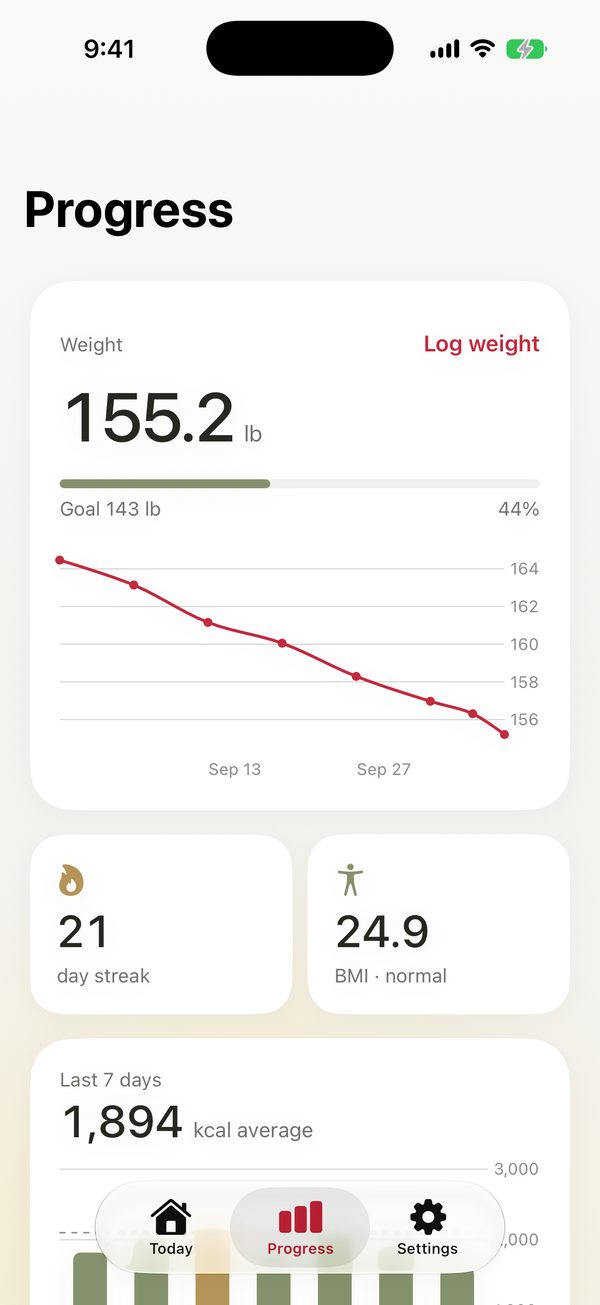
Progress
See the change.
Log your weight and watch how close you are to your goal on the chart.
- Weight history with your goal line
- Daily streak and BMI
- Average calories over the last 7 days
- Read weight from Apple Health or save it there
Calories, macros and meal scores are estimates and may vary with ingredients and portion sizes. FormlyBite does not replace medical advice or guidance from a qualified dietitian.
Privacy
Your diary stays with you.
Your meals, photos and weight history are kept on your device and, if you're signed in to iCloud, backed up to your own iCloud account.
- No sign-up screenStart without an account; no name, email or phone number needed.
- Only what's neededAnalysis sends just the photo or description you chose; your personal plan and Apple Health data aren't included.
- No adsNo ads, no cross-app tracking, and your data is never sold.
Frequently asked questions
Is FormlyBite free?
It's free to download and use; free use includes a daily limit on AI meal analyses. FormlyBite Pro unlocks unlimited photo and text analysis. Monthly and annual options are shown in the app.
How does analysis work?
A photo or written description is sent through our Supabase server to OpenAI. Results are estimates; review portions and adjust macros before relying on them.
Will my entries appear on another device?
If you're signed in to iCloud, your food diary, photos and weight history are backed up to your own iCloud account and show up on devices using the same Apple Account.
How do I manage my subscription?
Manage or cancel it in iPhone Settings › [your name] › Subscriptions. Use Restore purchases in the app with the same Apple Account.
How do I revoke Apple Health access?
In the Health app, open your profile, then Apps › FormlyBite and turn off permissions. Weight entries already written to Health are managed separately in the Health app.
How do I delete my data?
In the app, “Delete my data” in Settings removes the entries on your device, your iCloud backup and the anonymous account on our server. For any other request, email support with FormlyBite in the subject.

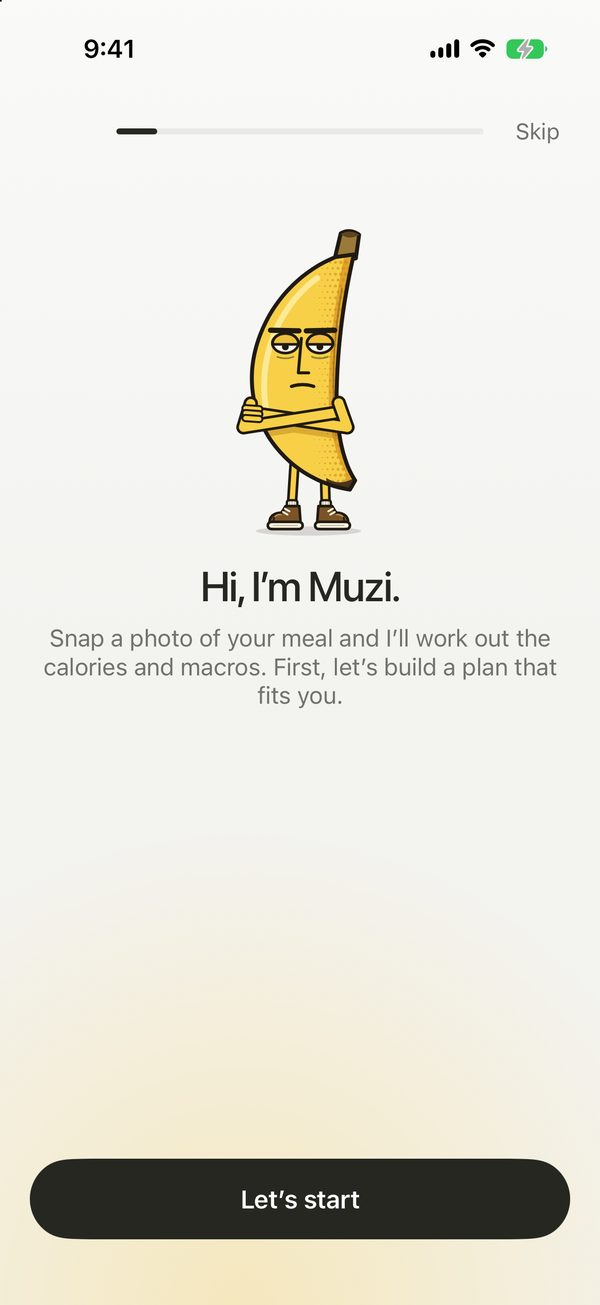
Hi, I’m Muzi.
I may look unimpressed, but I never lose count. Let’s build a plan that fits you first, then show me your plate.
Download on theApp Store